 JawAtlas
Guide
Anonymising DICOM scans for teaching
After this guide you will know which parts of a DICOM scan identify a patient, the difference between removing and replacing those parts, what JawAtlas reads and never stores, and what you still need to do before a clinic scan can be used for teaching.
Why this matters for students
A CBCT volume is a medical record. The pixels show a particular person's jaw, and the file headers say who that person is, where they were scanned, when and by whom. A student who shows a case in a seminar is handling that record, and the duty to protect it does not change because the purpose is educational.
This guide explains the technical side in general terms. It is not legal advice and cannot replace your institution's rules. The safest teaching material is a scan released for the purpose, such as the bundled demo scan or the collections in free CBCT datasets.
The identifying tags
A DICOM file is a list of tagged fields followed by the pixel data (see what is DICOM). Among the hundreds of tags, a group identify the patient and the episode directly:
- Patient. Name, patient ID, birth date, sex, age, sometimes address, telephone and other IDs.
- Institution and staff. Institution name and address, station name, referring and performing physician, operator name.
- Episode. Accession number, study ID, study and series descriptions, and the study, series and acquisition dates and times.
- Unique identifiers. Study, series and instance UIDs. They look like long numbers, but they can link a file back to a hospital system, so anonymisation tools usually replace them.
- Free text. Comment fields, protocol names and private tags added by the manufacturer, which may contain anything the operator typed.
"The name" is one tag among many. A file with the name cleared and the accession number, birth date and institution intact is still identifiable.
Burned-in text is a separate problem
Some images carry identification inside the pixels. Scout images and screen captures produced by the scanner's own software often have the patient's name, the date and the clinic printed across a corner of the picture. No tag editor touches pixel data, so a file can be clean in its header and still show a name on screen.
Before sharing, look at every image in the folder, not only the volume slices; CBCT exports commonly include a scout or a derived panoramic image alongside them. If any image has text burned in, remove that image or mask the pixels with a tool that can do so. A DICOM tag exists to declare burned-in annotation, but you cannot rely on it being set.
Removing versus replacing
There are two ways to deal with an identifying tag. Removing it deletes the field from the file. Replacing it keeps the field and writes a new value, such as "ANONYMOUS" for the name or a study code for the ID. Both hide the identity; they differ in what the file is like afterwards.
Some tags are required for a file to be valid, and some viewers refuse a series whose slices no longer share a study and series identifier, so replacing those with consistent new values keeps the series readable. Dates are a special case: shifting every date by the same offset preserves the interval between a scan and a follow-up while hiding the real day. Dedicated anonymisation tools do this in one pass and log what they changed. The habit is the same either way: open the result in a tag viewer and read every field before you call it anonymised.
What JawAtlas reads and never stores
JawAtlas was built for teaching, so its importer reads only a whitelist of technical tags, the ones needed to rebuild the volume: rows and columns, pixel spacing, slice position and orientation, rescale values, transfer syntax and photometric interpretation. Patient name, patient ID, birth date and the other identifying fields are never read into the app's storage. The scan files on the device are protected by iOS data protection, and an optional Face ID or Touch ID lock exists in Settings.
The app also has no networking code at all; an audit script enforces that (see offline and private and the privacy page). Nothing you import leaves the device unless you share it yourself through AirDrop or the share sheet (see sharing a case and exporting a PDF). The validation page describes how each import is checked before it is saved.
Two limits matter. The original DICOM folder you copied into the Files app, or the ZIP you sent by AirDrop, still contains whatever it contained; the whitelist applies to what the app stores, not to files on disk (see importing DICOM from Files and importing by AirDrop). A case you share from JawAtlas carries only the converted voxel volume, a manifest of technical values, a thumbnail and your moments and notes, never the DICOM files themselves, so no header identifier travels with it. And burned-in text is still pixels, and the app displays pixels. Anonymise the files before they reach the device, not after.
What you must still do
Anonymising files is the technical half. The other half is permission, and it comes first. A clinic scan belongs to that clinic's records and is covered by its rules and local law. Before a case leaves the building, even with the headers cleaned:
- Ask the person responsible for the records (a supervisor, the radiology lead or the data protection contact) whether student teaching use is allowed and what the local procedure is.
- Find out whether the patient's consent for teaching use is required where you are; some places require it even for anonymised images.
- Use the institution's own anonymisation route if one exists, rather than a tool you found yourself.
- Keep the scan on the devices and for the purpose agreed, and delete it afterwards if that was the condition.
- Say in the seminar that the case is anonymised and for education only (see presenting a CBCT case in a seminar).
Educators building a case bank will find the practical side in teaching cases and the page for educators. For students the default is simple: if you cannot get a clear yes, learn on the demo scan and the open datasets.
Try it on the demo scan
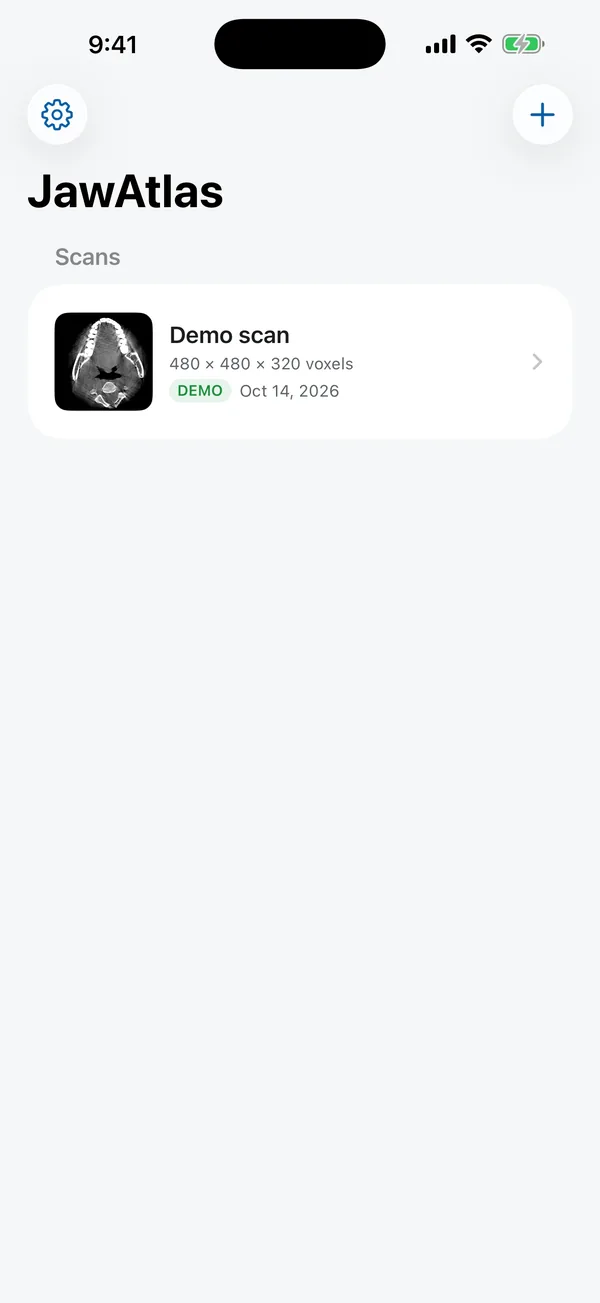
Open the demo scan from the case library and notice that it shows no patient fields at all. Then go to the MPR stage and look at what the app did read: the slice position readout at the top left (for example "Axial +10.2 mm") comes from the slice position tags, the 20 mm scale ruler at the bottom left from pixel spacing, and the edge labels R, L, A, P, H and F from the orientation cosines. Switch to Measure mode and tap two points across a molar crown: the millimetres come from the same spacing tags. Nothing the viewer needs says who the patient was.
Questions students ask
Which DICOM tags contain patient information?
The obvious ones are patient name, patient ID, birth date, sex and age. Less obvious ones are the institution name and address, the referring and performing physician names, the station name, accession number, study and series dates and times, and sometimes private tags and comment fields that a scanner fills in. Unique identifiers can also be used to link a file back to a hospital record.
Does JawAtlas remove patient names from DICOM files?
It never stores them. The importer reads only a whitelist of technical tags such as rows, columns, pixel spacing, orientation and position, so patient name, ID, birth date and the like never reach the app's storage. The original files you copied onto the device, however, still contain whatever was in them, so they remain your responsibility.
Is a scan anonymised if I delete the patient name tag?
Not necessarily. Other tags still carry the ID, birth date, dates, institution and physician names, and a scout image or a slice can have the name burned into the pixels where no tag editor sees it. Anonymisation means checking every identifying field and the pixels, not one tag.
Can I share a CBCT scan from my clinic with classmates for study?
Only with the permission of the institution that holds it and under its rules, which vary by country and by institution. Anonymising the files is a technical step that comes after permission, not instead of it. If in doubt, use an openly licensed dataset or the bundled demo scan.
JawAtlas is an education and training aid. It is not a medical device and must not be used for diagnosis, treatment planning or any clinical decision.
Last reviewed 2026-10-15