 JawAtlas
How to
Adjust window and level on a CBCT slice
After this page you will be able to make bone, teeth or soft tissue stand out on any slice with a single finger, return to the presets when you have gone too far, and read the centre and width values the app shows you.
What windowing is
A CBCT voxel stores a number far wider than a screen can show. Windowing chooses which range of those numbers is spread across black to white. The centre (level) sets which value appears mid-grey; the width sets how many values fit between black and white. A narrow window gives high contrast within a small range; a wide window shows everything at lower contrast. The theory, and why the numbers are grey values and not Hounsfield units, is on window, level and grey values.
Steps
- Open a case and choose MPR. Any pane will do; the window you set applies to all of them. Scroll to a slice that contains both bone and soft tissue, for example an axial slice through the roots of the demo scan's molars.
- Tap "Adjust" in the toolbar. It is the second chip, between "Move" and "Measure". While Adjust is active, dragging on the image no longer moves the crosshair.
- Drag up or down to change the level. Dragging changes the window centre: the whole image gets brighter or darker. Watch the readout under the pane, which looks like "C 300 / W 1500 grey", and notice that only the C value moves.
- Drag left or right to change the width. Now only the W value moves. Narrow the window to pull apart two tissues of similar density, widen it to see cortical bone and soft tissue in one image without clipping either.
- Return to a preset when needed. Below the pane is a segmented control with "Bone" and "Soft Tissue". Tap either to snap back. After a manual drag a third segment, "Custom", shows that you are off the presets.
Which preset when
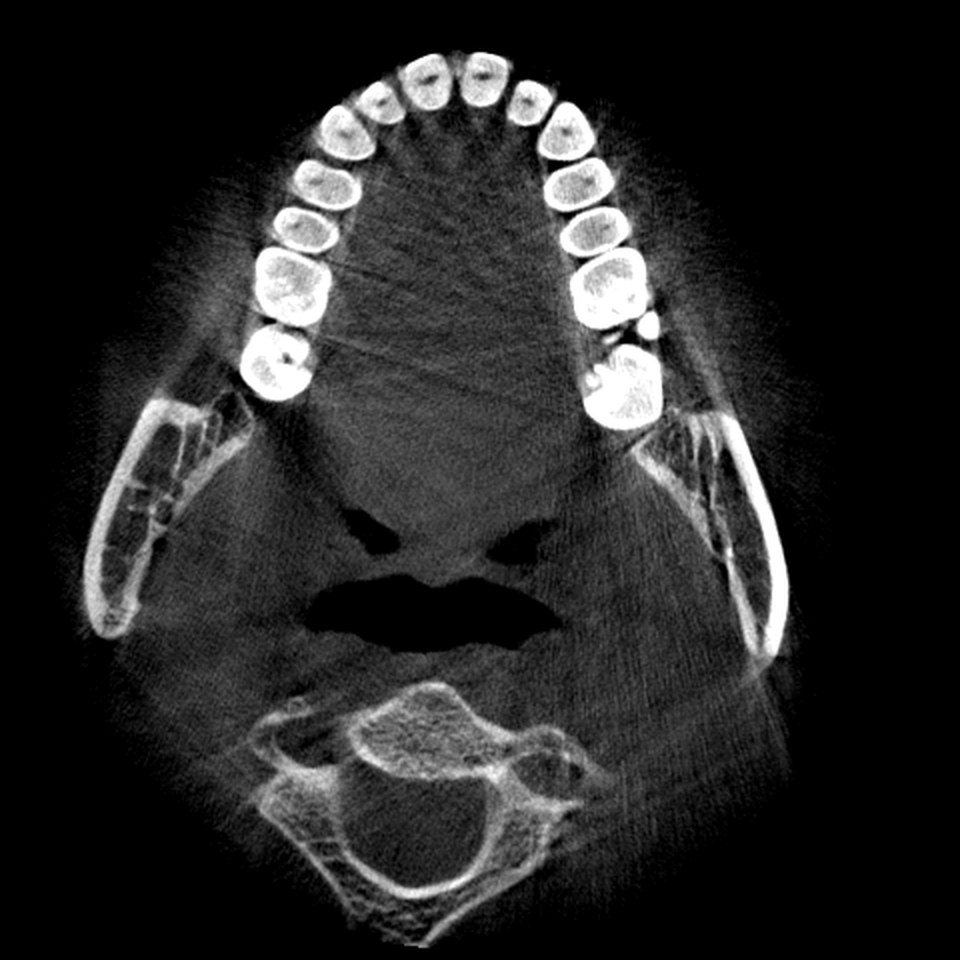
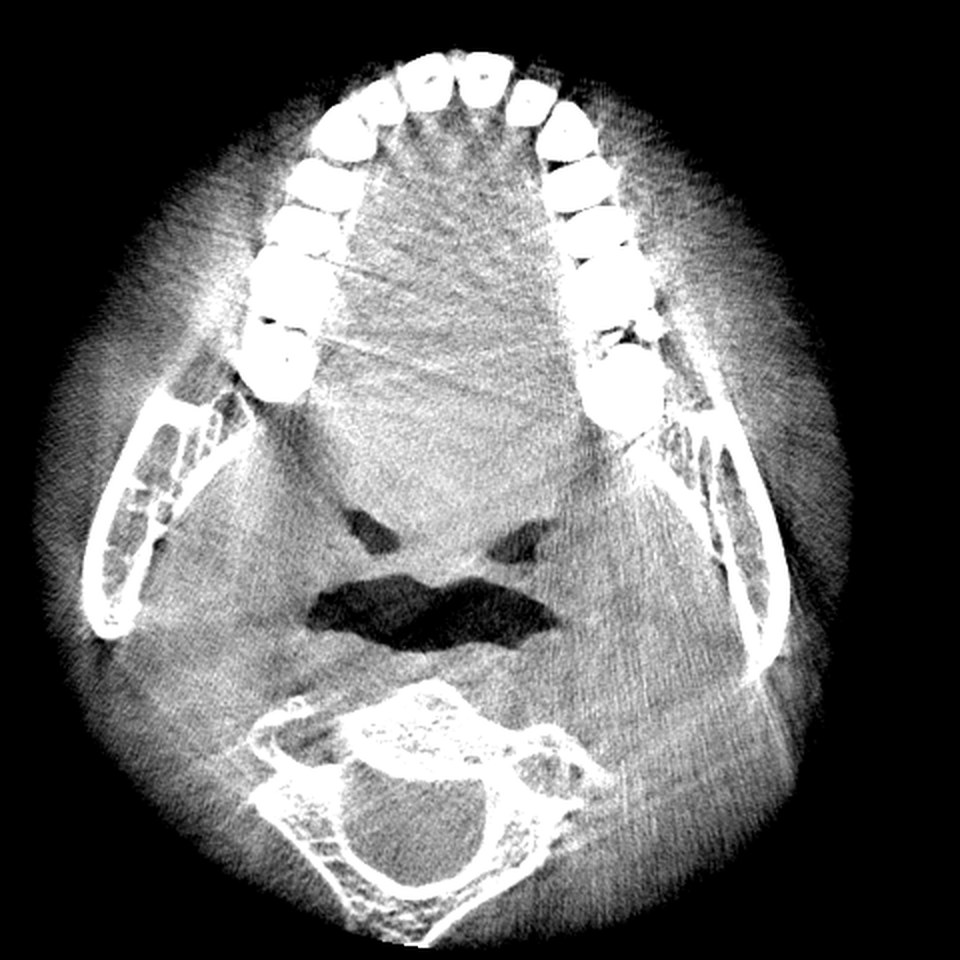
"Bone" is the default. It places the centre high and keeps the window wide enough that enamel, dentine, cortical and cancellous bone each keep their own grey. Use it for teeth, lamina dura, cortical plates and the walls of the mandibular canal.
"Soft Tissue" lowers the centre and narrows the window, so the air-tissue boundary of the tongue, lips and the maxillary sinus lining become visible while bone saturates to white. CBCT soft tissue contrast is poor by design, so expect a grainy image; that is the scan, not the preset.
The same presets appear in the 3D stage, where they define which densities the volume rendering shows, and in the AR view. Compare the two axial plates below: identical slice, different window.
If it does not work
Dragging moves the crosshair. Adjust is not active. Check that the chip is highlighted; tapping the active chip again switches back to Move.
The image is all black or all white. The window drifted out of the data range. Tap "Bone" to reset, then adjust in smaller moves.
Soft Tissue looks almost blank. On a low-dose or small-voxel scan the soft tissue signal is very noisy. Widen the window slightly with a short drag to the right.
The readout is missing. The window bar is hidden while a case is still loading ("Preparing volume…"). Wait for the pane to appear.
To understand what the three panes are showing you while you adjust them, read Tri-planar MPR explained.
Questions students ask
What do C and W mean in the readout?
C is the window centre (level) and W the window width, both in the scan's grey values. Grey values at or below C minus W/2 show black, at or above C plus W/2 show white, and everything between is spread over the available greys.
Why does JawAtlas not show Hounsfield units?
CBCT grey values are not calibrated to water and air the way CT Hounsfield units are. They shift with field of view, position in the volume and the scanner, so JawAtlas shows them as plain grey values to avoid implying a density scale that is not there.
Does changing the window change the stored scan?
No. Windowing is a display mapping applied at render time. The voxel data stays as imported, and the same window applies across the 3D, MPR, Pano and Slice stages while the case is open.
JawAtlas is an education and training aid. It is not a medical device and must not be used for diagnosis, treatment planning or any clinical decision.
Last reviewed 2026-10-13