 JawAtlas
Feature
Step inside the scan
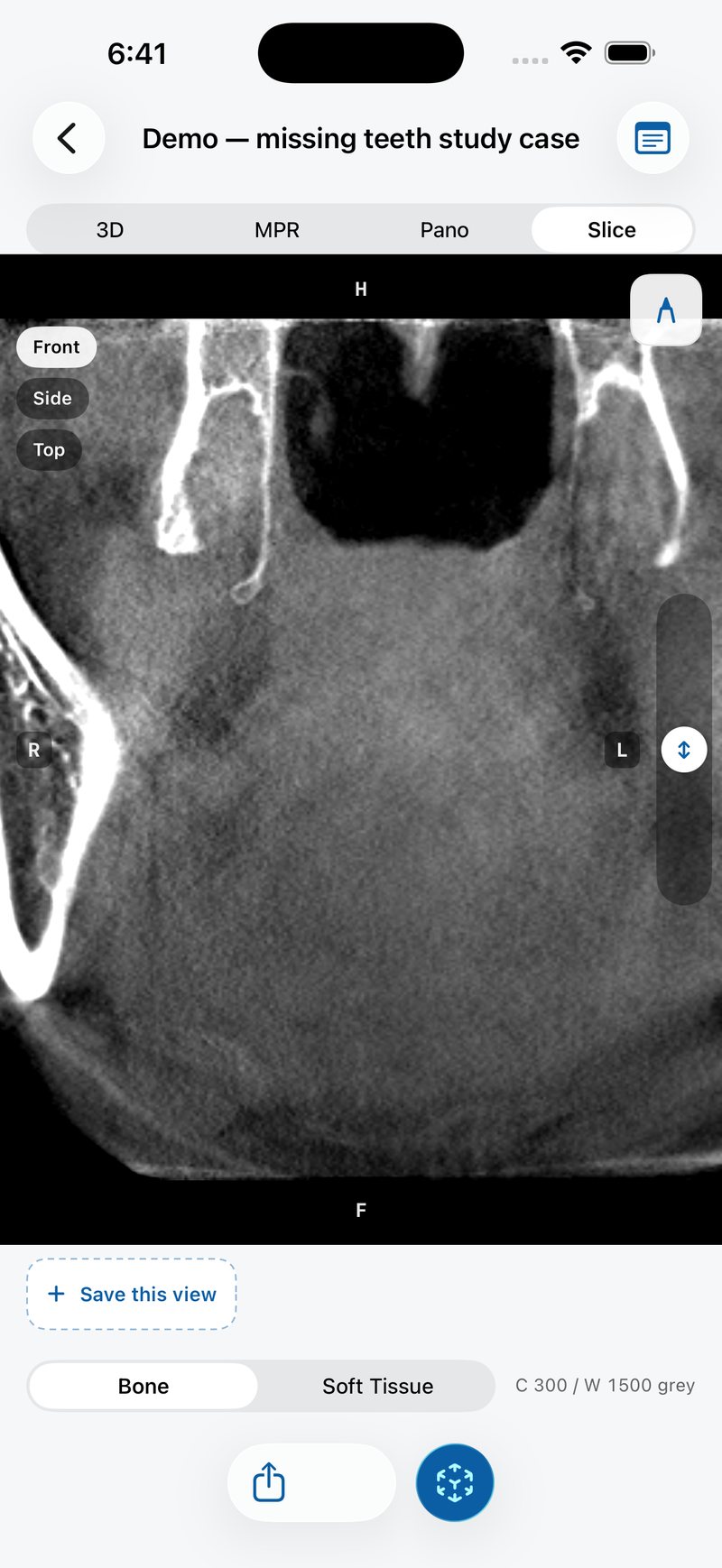
Anchor the volume life-size on a table, then move your device through it. The cross-section follows the phone in real time, which turns a stack of slices into a space you can walk around.
What happens
Tap the AR button, the blue cube at the bottom right of a case, point the camera at a flat surface and place the scan. From then on the device's position is the slicing plane: lower the phone and you cut lower through the jaw, tilt it and the cut tilts with it. The plane mathematics is the same code that drives the 3D and Slice stages; only the source of the plane changes from your fingers to the camera pose.
Why it helps learning
The hard part of cross-sectional anatomy is not recognising a structure in a slice; it is knowing where that slice sits in the head. AR makes the position physical. You see the jaw on the table, you see the cut move as your hand moves, and the relationship between a 2D image and 3D anatomy stops being abstract. Educators use it to open a seminar; students use it to check their mental model.
Practical notes
- Use a well lit room and a surface with some texture, so ARKit can track it.
- Give yourself a metre of clear space to move around the anchored scan.
- A physical device with ARKit is required; AR is not available in the simulator.
- The AR view shows the education-only notice, like the rest of the app.
Step by step: using AR slice-through.
Privacy in AR
The camera feed is drawn live and never stored or sent anywhere. Like the rest of JawAtlas, the AR mode works entirely offline.
Questions students ask
Does AR work in the iOS simulator or on a Mac?
No. AR needs a physical iPhone or iPad with ARKit and a camera. Every other feature works in the simulator.
Is the camera image stored?
No. The camera feed is used live on screen for the AR view only. It is never recorded, saved or transmitted.
How big is the scan in AR?
Life-size. The scan's millimetre spacing from the DICOM headers sets the scale, so a 127 mm wide demo volume appears 127 mm wide on the table.
Can I use AR in a lecture?
Yes. Anchor the scan on a desk and mirror the device to a display. Students can then watch the cross-section follow the device as you move it through the jaw.
JawAtlas is an education and training aid. It is not a medical device and must not be used for diagnosis, treatment planning or any clinical decision.
Last reviewed 2026-10-13